[Tutorial BIRT - Ambil Parameter JSON & Show di BIRT] #31

Open
opened 2023-12-14 17:29:17 +07:00 by sindhu · 0 comments
Owner

Buat file php baru isinya seperti ini

<?php
// file_get_contents itu Reads entire file into a string
$body = file_get_contents("php://input");
$json_param = json_decode($body,true);

// file_put_contents itu Write a string to a file
file_put_contents("/xtmp/sindhulog",print_r($json_param,true)."\n",FILE_APPEND);
// echo $body;
echo json_encode([
    [
        'T_OrderHeaderID' => $json_param['orderID']
    ]
]);
?>

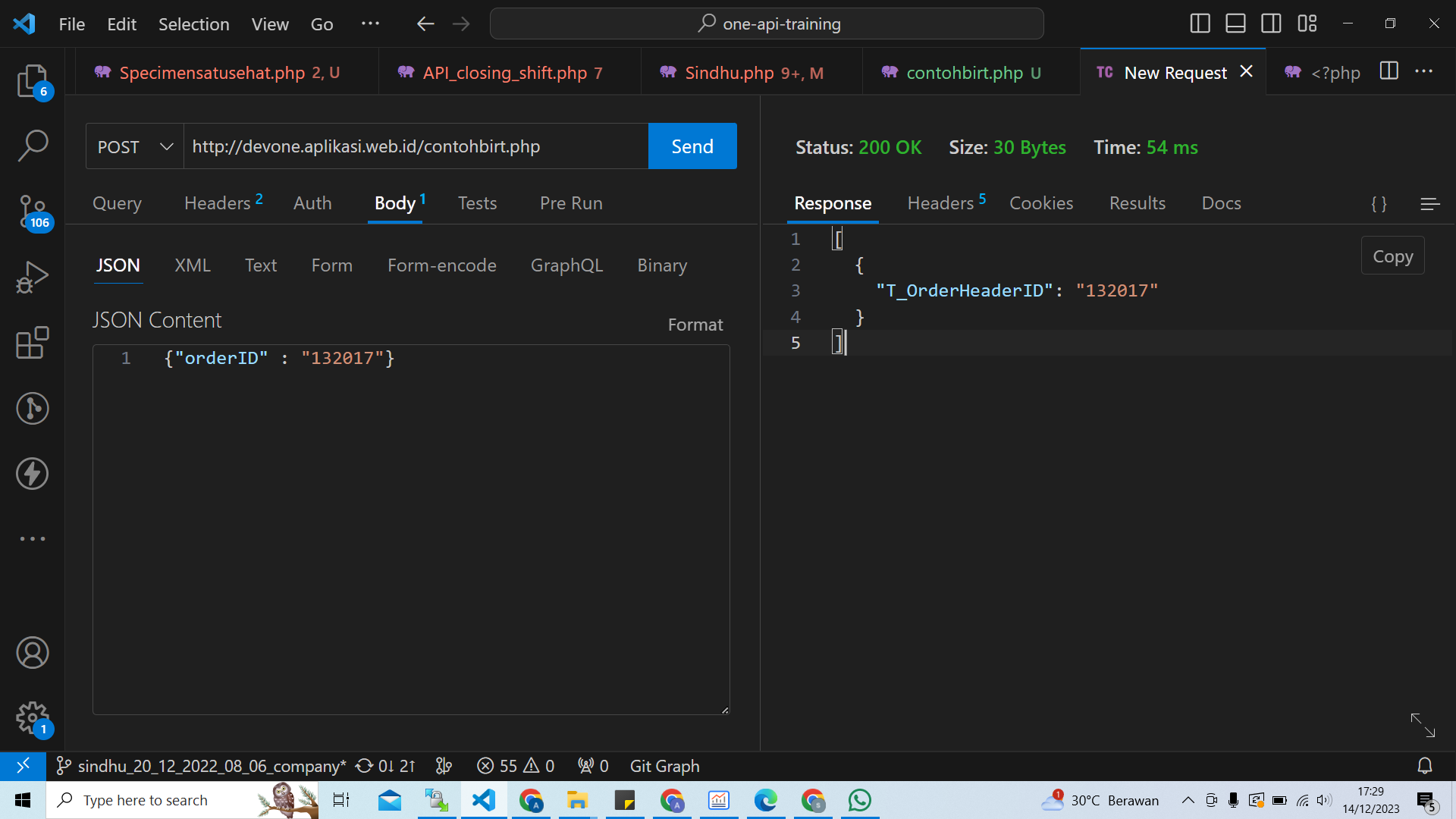
HASIL JSON
image

Kemudian Upload file tersebut di server sesuai kebutuhan dalam hal ini di devone
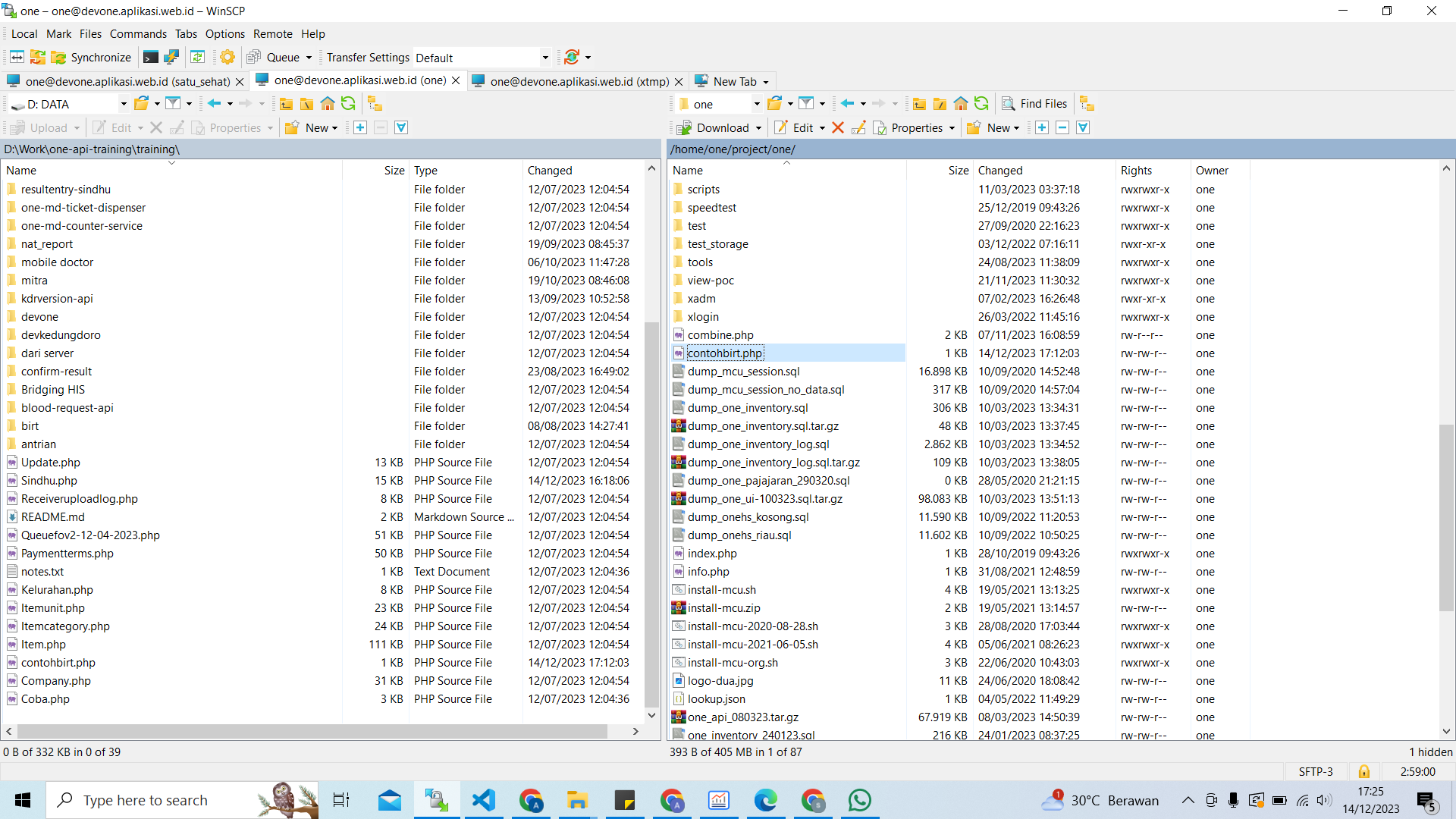
image

Lalu bikin file baru BIRT scripting data source

  1. di data source - open tab
    image

code seperti ini

importPackage(Packages.java.io);
importPackage(org.apache.http.impl.client);
importPackage(org.apache.http.client.methods);
importPackage(Packages.java.util);
importPackage(org.apache.http.message);
importPackage(org.apache.http.entity);

//setup end point

//var logId = params["logId"].value;
//var shiftharianid = params["shiftharianid"].value;
//var groupshiftid = params["groupshiftid"].value;
//var rekap = params["rekap"].value;

var client = new DefaultHttpClient();
var post = new HttpPost("http://devone.aplikasi.web.id/contohbirt.php");
 
 //var post = new HttpPost("http://devone.aplikasi.web.id/one-api/training/sindhu/post_coba_birt_request?orderID=132017");

//post.addHeader("orderID","132017");

var parameter = {"orderID" : "132017"};
var jsonStringfy = StringEntity(JSON.stringify(parameter));

post.setEntity(jsonStringfy); 
post.setHeader("Accept","application/json");
post.setHeader("Content-Type","application/json");

//get response
var response = client.execute(post);
var rd = new BufferedReader(new InputStreamReader(response.getEntity().getContent())); 
var line = "";
var result = "";
while ((line = rd.readLine()) != null) {
    result += line;
}
//populateJson
//moviesJson = JSON.parse(result);
dataHasilJson = JSON.parse(result); 

return;
  1. data set - fetch
    image
    code seperti ini
if (recNum >= dataHasilJson.length )
 return false;
 
row["T_OrderHeaderID"] = dataHasilJson[recNum]["T_OrderHeaderID"];
recNum = recNum+1 ;
return true;
  1. data set - open
    image
recNum = 0;
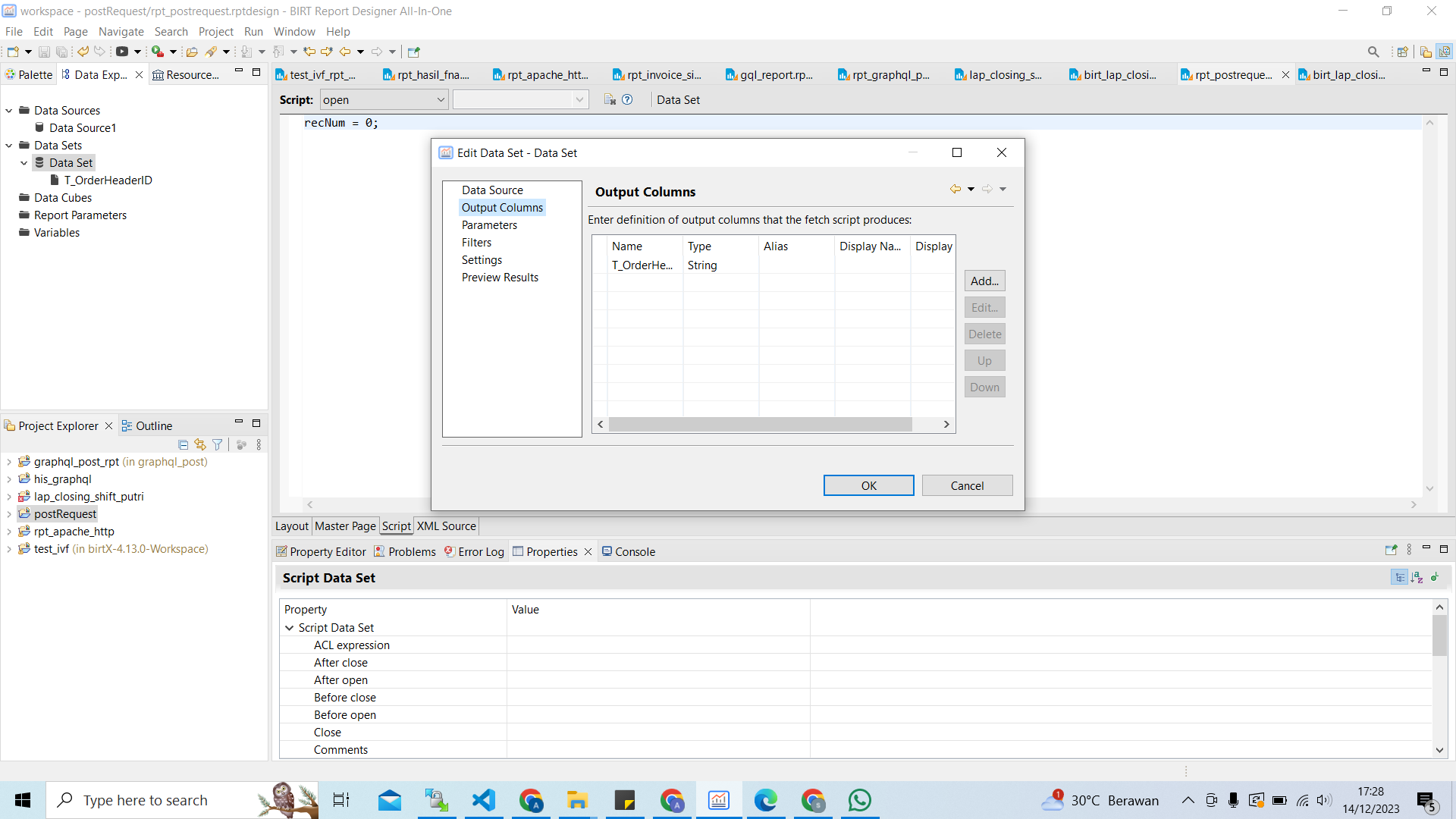
  1. bikin output column
    image

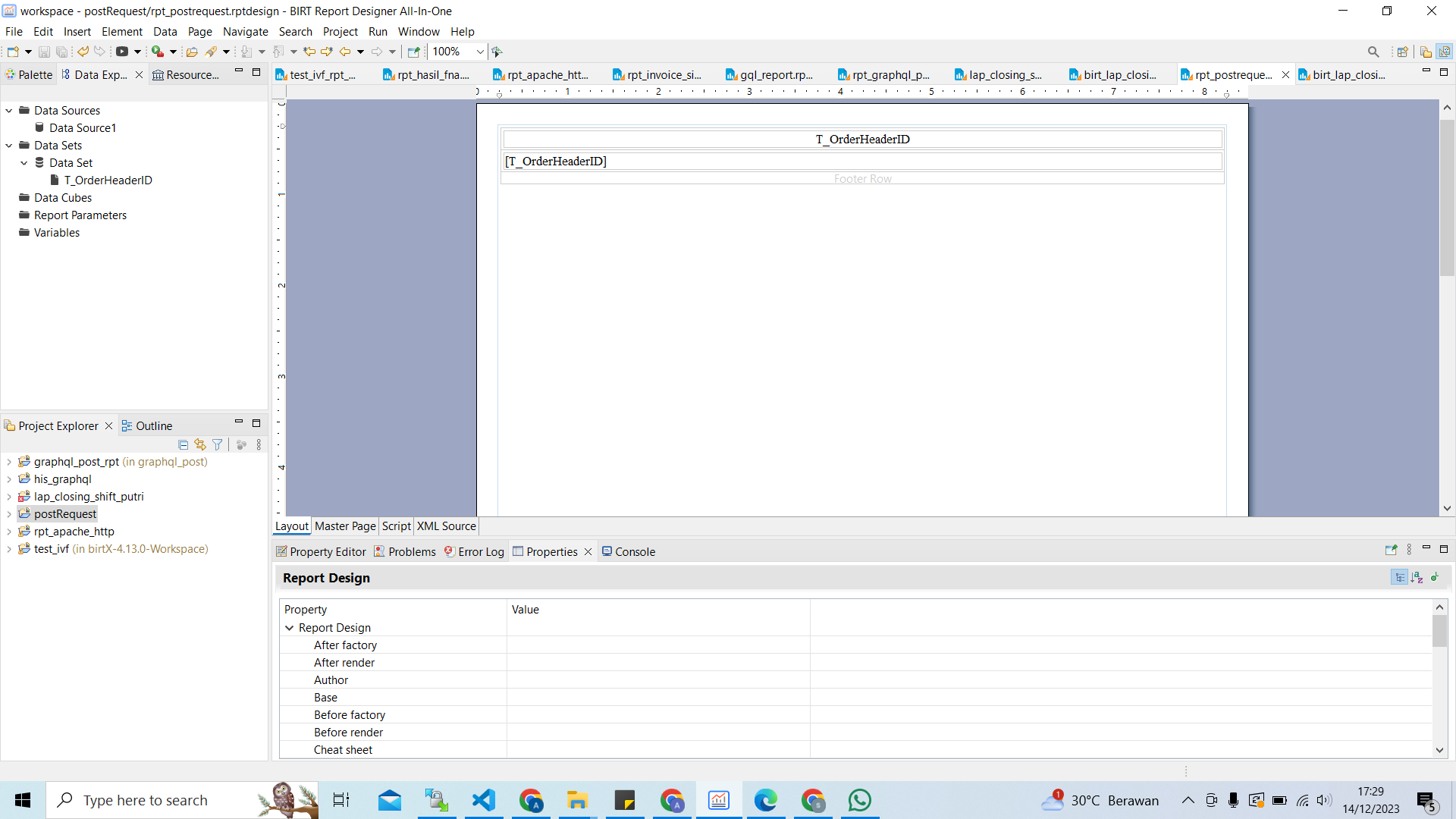
  2. bikin layout sederhana
    image

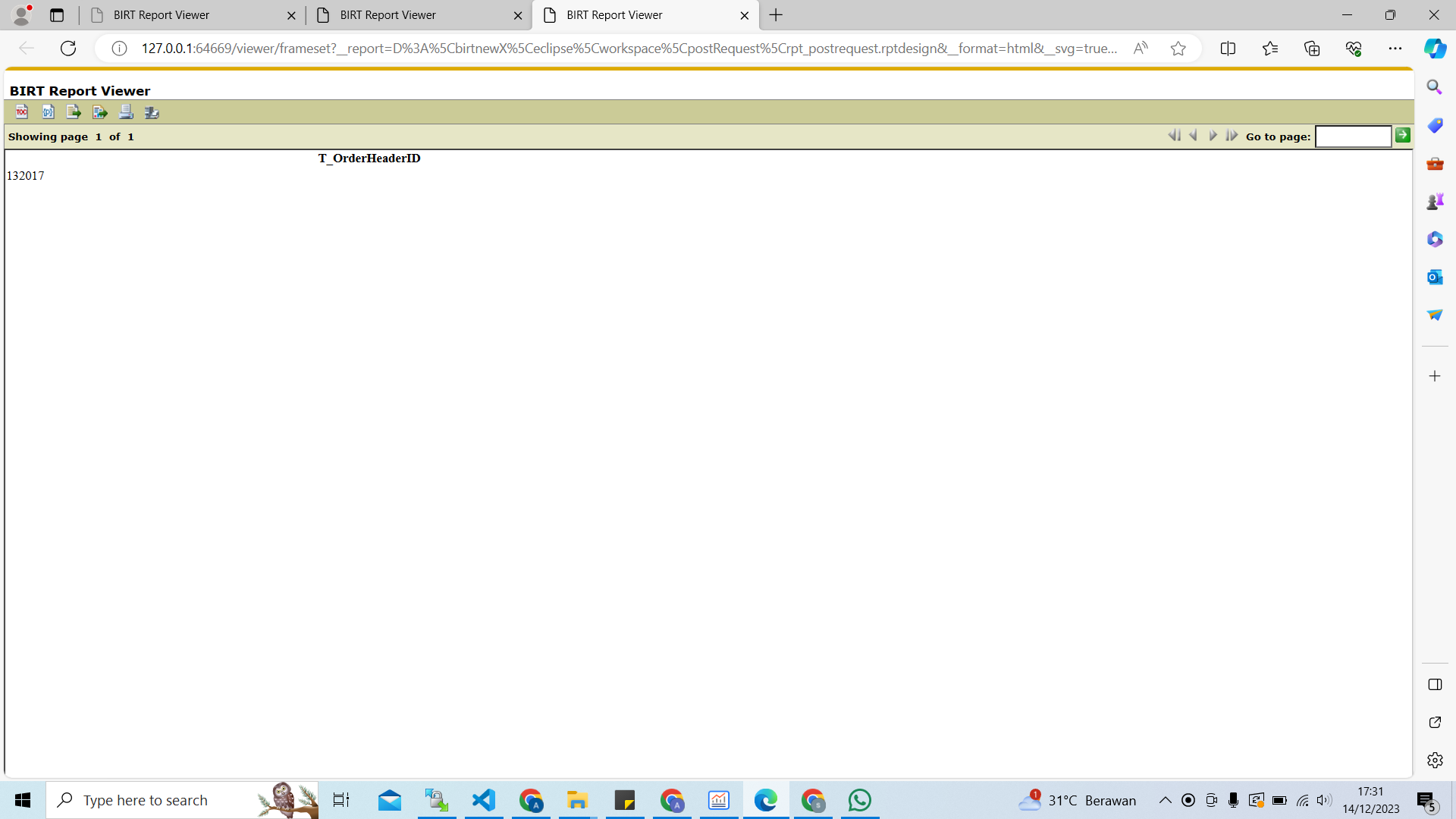
  3. Hasil nya di birt
    image

  4. file hasil akhir
    https://drive.google.com/file/d/1DHtq3KkaWoGLwmSufPDEh26-wlBC4hFd/view?usp=sharing

**Buat file php baru isinya seperti ini** ``` <?php // file_get_contents itu Reads entire file into a string $body = file_get_contents("php://input"); $json_param = json_decode($body,true); // file_put_contents itu Write a string to a file file_put_contents("/xtmp/sindhulog",print_r($json_param,true)."\n",FILE_APPEND); // echo $body; echo json_encode([ [ 'T_OrderHeaderID' => $json_param['orderID'] ] ]); ?> ``` **HASIL JSON** ![image](/attachments/33711e05-0110-49ee-8e34-592f4b71822b) **Kemudian Upload file tersebut di server sesuai kebutuhan dalam hal ini di devone** ![image](/attachments/ea9a8bc6-8c2e-4d1a-b3f7-7576eb22d3d1) **Lalu bikin file baru BIRT scripting data source** 1. di data source - open tab ![image](/attachments/99791d2d-5b42-4a00-b9b6-018b6f8639dc) code seperti ini ``` importPackage(Packages.java.io); importPackage(org.apache.http.impl.client); importPackage(org.apache.http.client.methods); importPackage(Packages.java.util); importPackage(org.apache.http.message); importPackage(org.apache.http.entity); //setup end point //var logId = params["logId"].value; //var shiftharianid = params["shiftharianid"].value; //var groupshiftid = params["groupshiftid"].value; //var rekap = params["rekap"].value; var client = new DefaultHttpClient(); var post = new HttpPost("http://devone.aplikasi.web.id/contohbirt.php"); //var post = new HttpPost("http://devone.aplikasi.web.id/one-api/training/sindhu/post_coba_birt_request?orderID=132017"); //post.addHeader("orderID","132017"); var parameter = {"orderID" : "132017"}; var jsonStringfy = StringEntity(JSON.stringify(parameter)); post.setEntity(jsonStringfy); post.setHeader("Accept","application/json"); post.setHeader("Content-Type","application/json"); //get response var response = client.execute(post); var rd = new BufferedReader(new InputStreamReader(response.getEntity().getContent())); var line = ""; var result = ""; while ((line = rd.readLine()) != null) { result += line; } //populateJson //moviesJson = JSON.parse(result); dataHasilJson = JSON.parse(result); return; ``` 2. data set - fetch ![image](/attachments/300d95fa-7e10-4553-b7cf-5c309188aca1) code seperti ini ``` if (recNum >= dataHasilJson.length ) return false; row["T_OrderHeaderID"] = dataHasilJson[recNum]["T_OrderHeaderID"]; recNum = recNum+1 ; return true; ``` 3. data set - open ![image](/attachments/8ae522fe-ebcf-4083-ae1b-74599f83d972) ``` recNum = 0; ``` 4. bikin output column ![image](/attachments/a25ef37e-b959-4bb5-a8a3-afe6fde6e00a) 5. bikin layout sederhana ![image](/attachments/123dc93b-cd15-4063-8c08-d3c01d3fa3ca) 6. Hasil nya di birt ![image](/attachments/a6d162e7-f59f-4032-8a80-6367c03b92f5) 7. file hasil akhir https://drive.google.com/file/d/1DHtq3KkaWoGLwmSufPDEh26-wlBC4hFd/view?usp=sharing
sindhu changed title from [Tutorial BIRT - Ambil Parameter JSON & Show] to [Tutorial BIRT - Ambil Parameter JSON & Show di BIRT] 2023-12-14 17:35:00 +07:00
Sign in to join this conversation.
No Label
1 Participants
Notifications
Due Date
No due date set.
Dependencies

No dependencies set.

Reference: sindhu/belajar#31